
Join Guard: protection for new members and a harder puzzle for bots
Most spam in groups comes from accounts that joined a few minutes ago. So we added special protection for new members to Join Guard, and we made the join puzzle harder for bots.
- New member protection: in the first hours after someone joins, the bot deletes what you choose to block
- Links, forwards, photos and videos, stickers, voice messages and mentions
- You choose what happens to people who break the rules: delete only, delete with a warning, mute, remove from the group, or send it to you for review
- Block posting as a channel in the group
- A harder puzzle for bots when someone sends a join request
New member protection
When someone joins the group, the bot treats them as a new member for the number of hours you set. During this time, the bot deletes the messages you chose to block, then takes the action you chose. This protection does not apply to admins.
If you choose the warning, the person sees a short message in the group. It says what is not allowed and how much time is left. The message disappears after 30 seconds, so it does not fill up the group.
The bot deleted the message
How to turn it on
- Send /settings in the group, or open the group from the bot chat
- Tap Protection from fake users, then New members
- Choose the duration, what to block and what happens to people who break the rules
- Tap Protection to turn it on
Block posting as a channel
Telegram lets people write in groups as a channel instead of their own account. This is often used for ads. When you turn on Writing as channel is not allowed, the bot deletes these messages. Messages from your channel that is linked to the group are not deleted.
A harder puzzle for bots
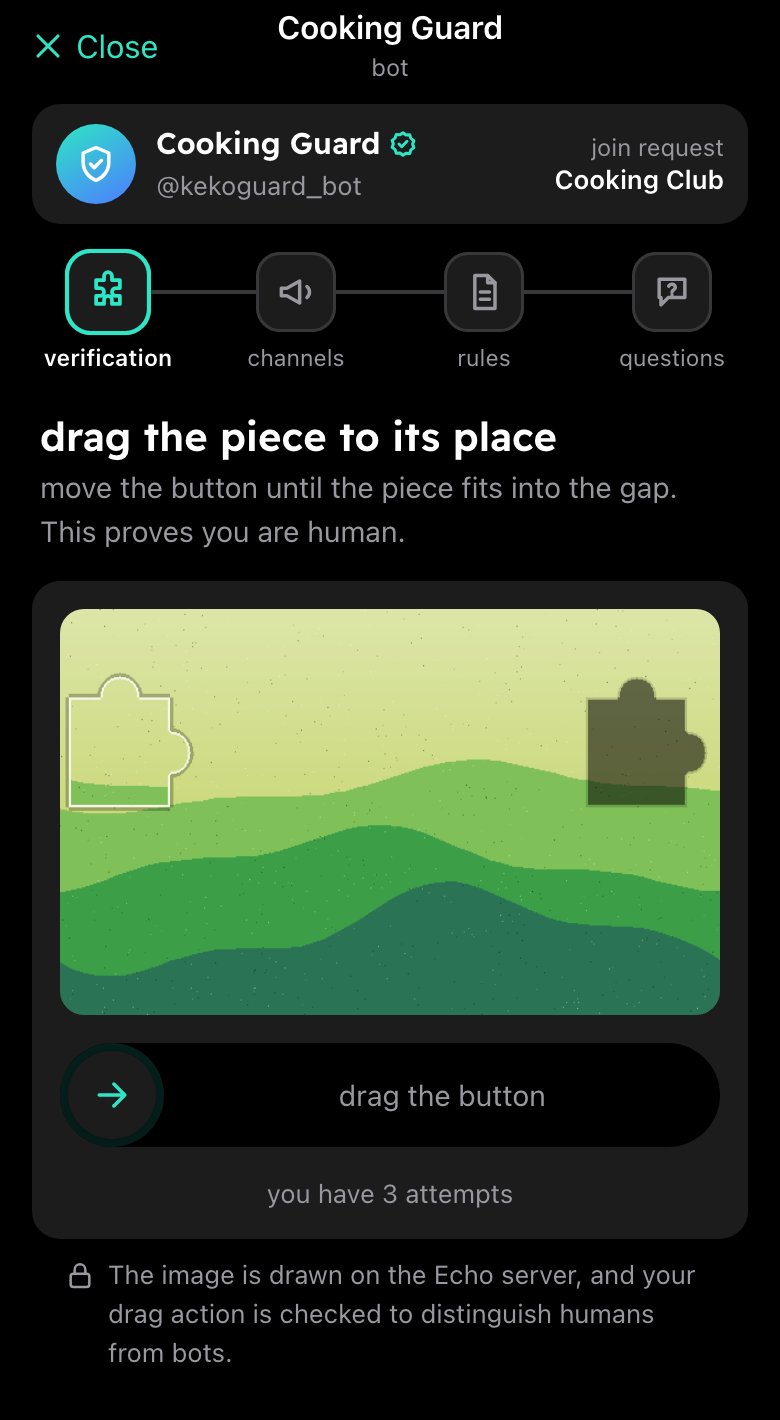
When someone sends a join request, they drag a piece into its place in the picture. Now the picture also has gaps that look like the right one. If someone puts the piece in a wrong gap, their request comes to you for review instead of being accepted. The bot never declines anyone on its own.
Try the new features now in your group settings in the bot.